Operator guide
Learn the one-button system in the right order.
Start with the safe path, then learn button language, operating modes, feedback, battery behavior, and recovery.
Chapter 1
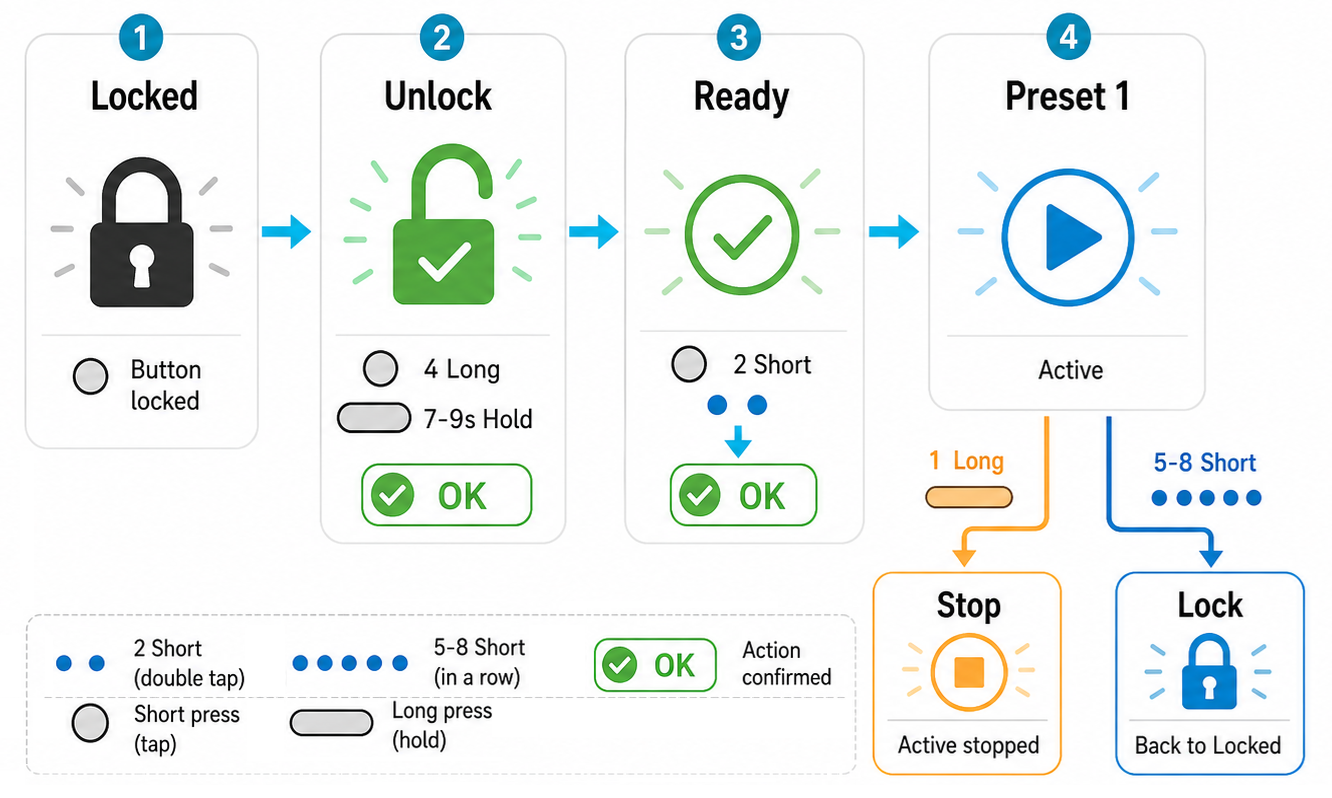
Quick Start
The fastest safe path from a charged, locked device to the first operating mode.
Chapter 2
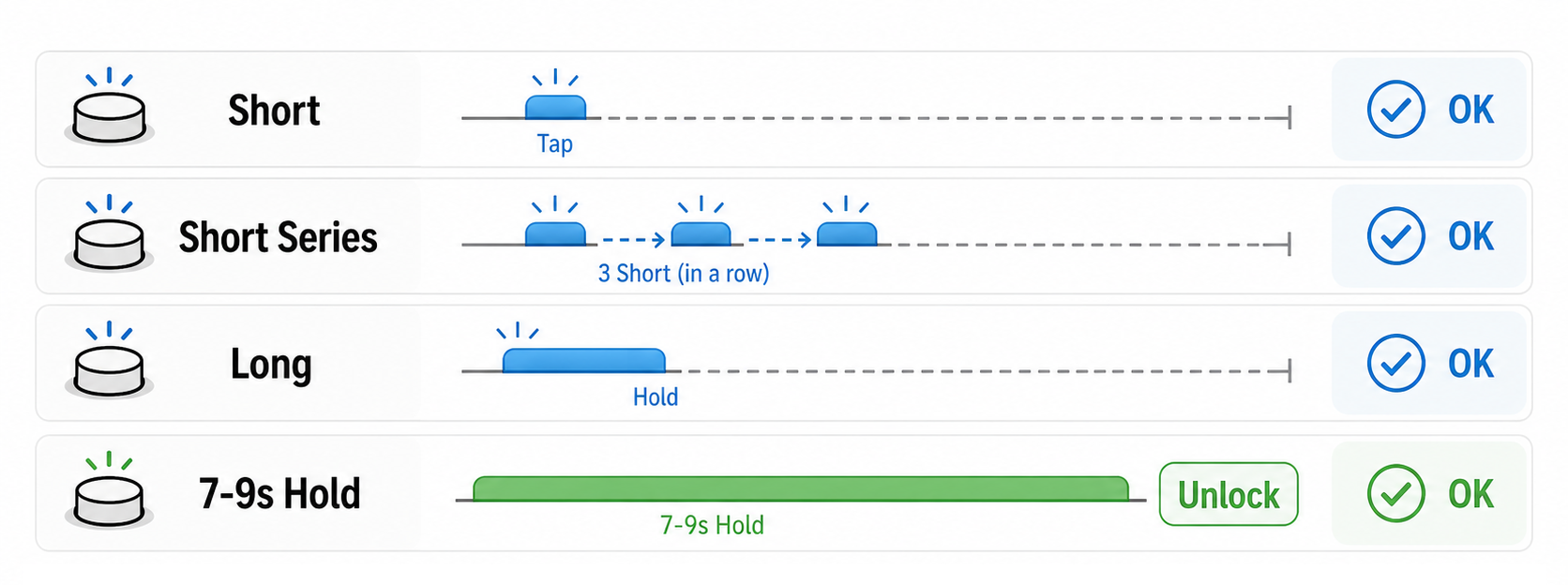
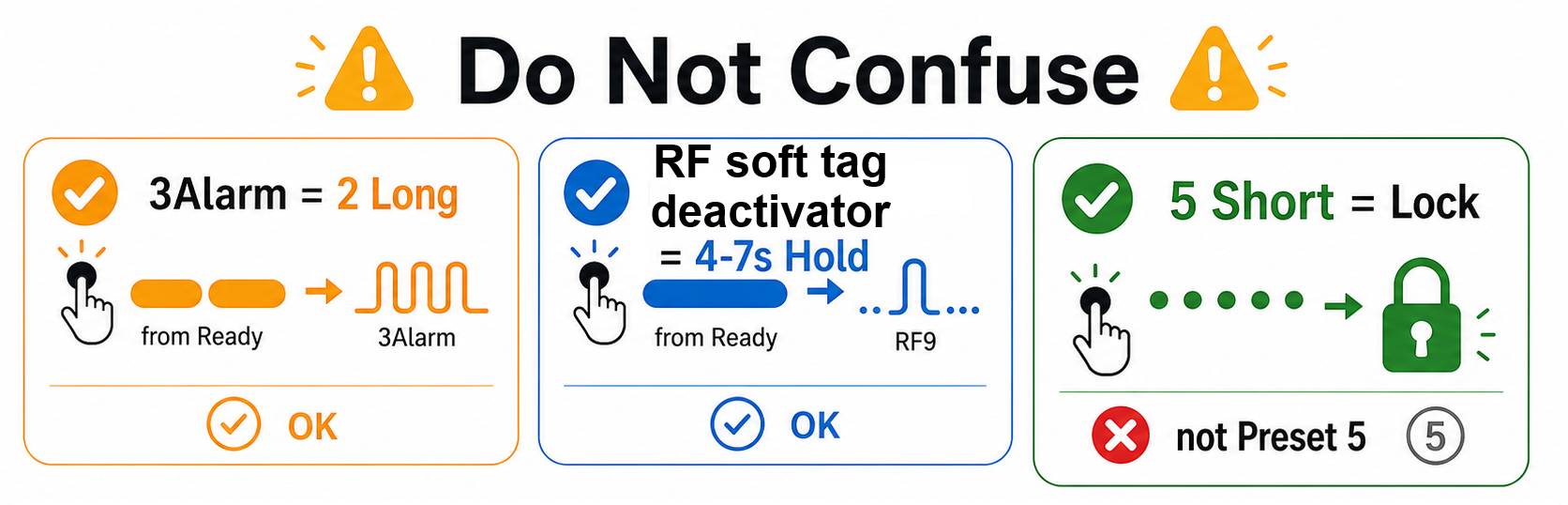
Button Language
Simple button clicks, holds, and the difference between Locked and Ready.
Chapter 3
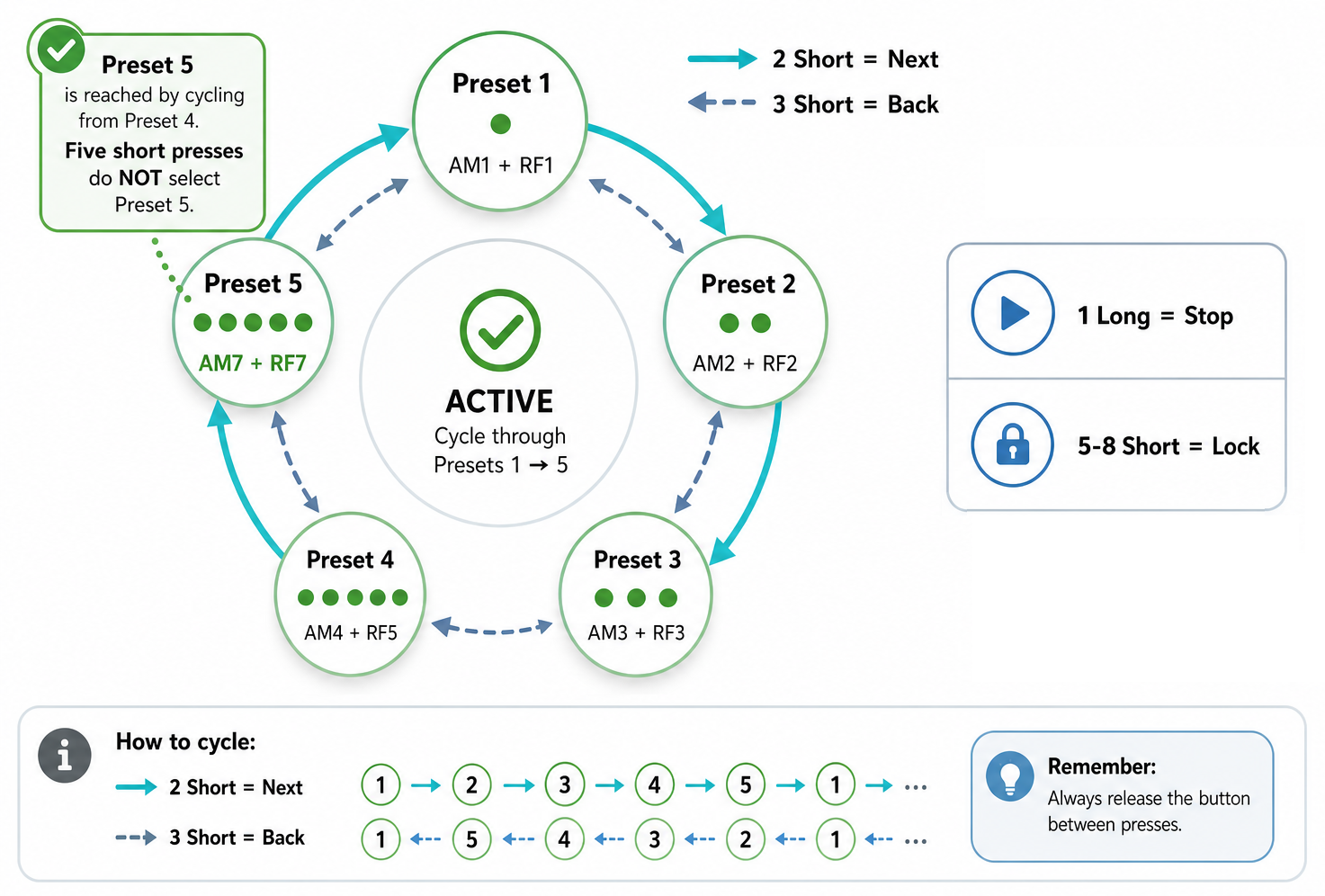
Modes
Why there are five modes, how to try them, and how special modes are different.
Chapter 4
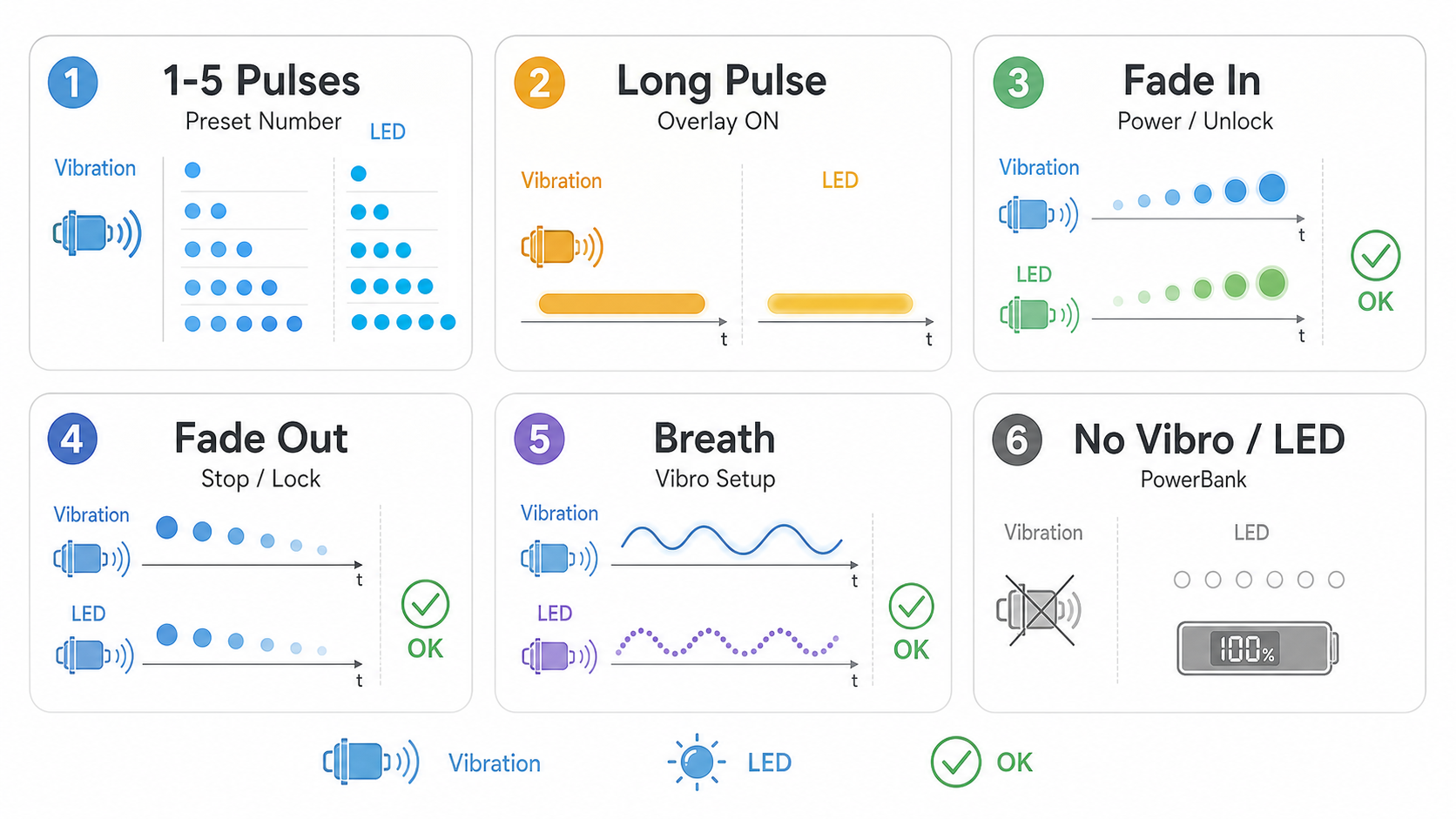
Feedback, Battery, Sleep
What vibration, LED, powerbank indicator, low battery, sleep, and auto-off mean.
Chapter 5
Troubleshooting
Quick fixes for the most common button and battery mistakes.