Chapter 4
Feedback, Battery, Sleep
What vibration, LED, powerbank indicator, low battery, sleep, and auto-off mean.
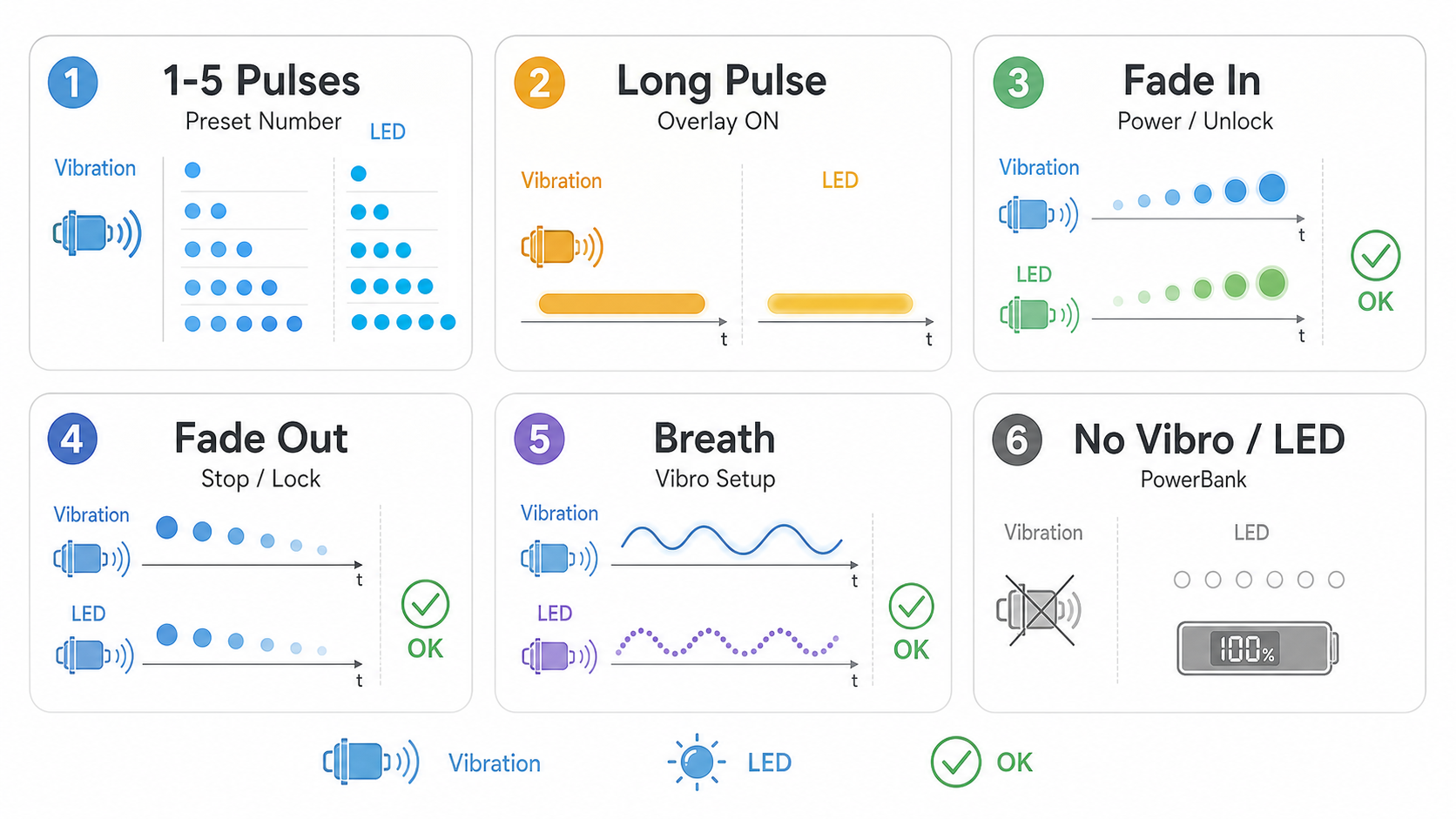
The device talks back with vibration, LED, and sometimes the powerbank indicator. Not every action vibrates; some commands are quiet on purpose.
Feedback Legend
Most feedback is counted. One pulse means operating mode 1, two pulses mean operating mode 2, and so on.
Powerbank Charge Display
When the device is not generating a signal, one short tap can show the charge digits on the powerbank display. This works in idle states such as Locked and Ready. It is only a display request; it does not start an operating mode.
The charge display request does not apply while a normal mode or special mode is running. It also does not apply inside Vibro Setup, because short taps are used there to change the vibration setting. In idle states, the internal controller sends a wake signal to the powerbank board so the display can show the current battery level.
Battery And Sleep
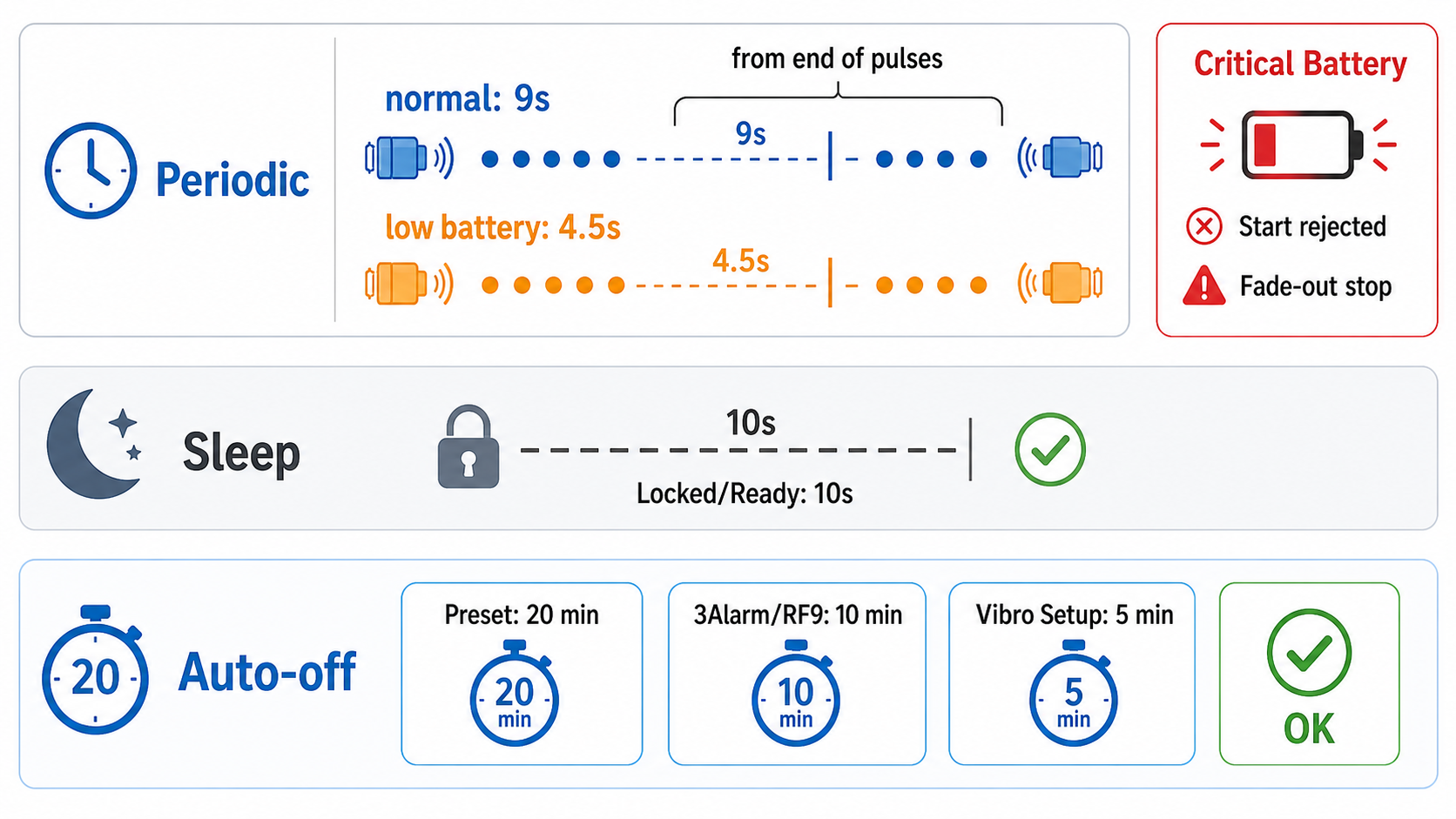
| Situation | Approximate timeout | What happens |
|---|---|---|
| Locked or Ready, no action | 10 seconds | Sleep |
| Operating mode 1-5 running | 20 minutes | Auto-stop, then sleep |
| 3Alarm or RF Deactivator running | 10 minutes | Auto-stop, then sleep |
| Vibro Setup open | 5 minutes | Exit, then sleep |
Low battery is a warning state, not a shutdown state. When the battery reaches this low level during signal generation, the repeated vibration and LED feedback become faster than normal. This is the user’s hint that the charge is close to running out.
Critical battery is different. At the critical level, the device protects the battery from deep discharge. If you try to start an operating mode with 2 short taps, the mode will not start; instead, the device gives one long fading vibration. If the critical level is reached while a mode is already running, the device can stop active generation and shut down.
After critical battery feedback, charge the powerbank before using the device again. This behavior is intentional battery protection, not a broken button command.
Sleep is automatic power saving. If the device is idle in Locked or Ready and no button action happens for about 10 seconds, it goes to sleep by itself. You do not need to do anything to enable this mode.
There is no battery-saving benefit to locking the device before putting it away near you. Locked and Ready sleep the same way and save power the same way. Locking is only protection against accidental button commands, especially when the device may be handled by someone else.
Vibro Setup
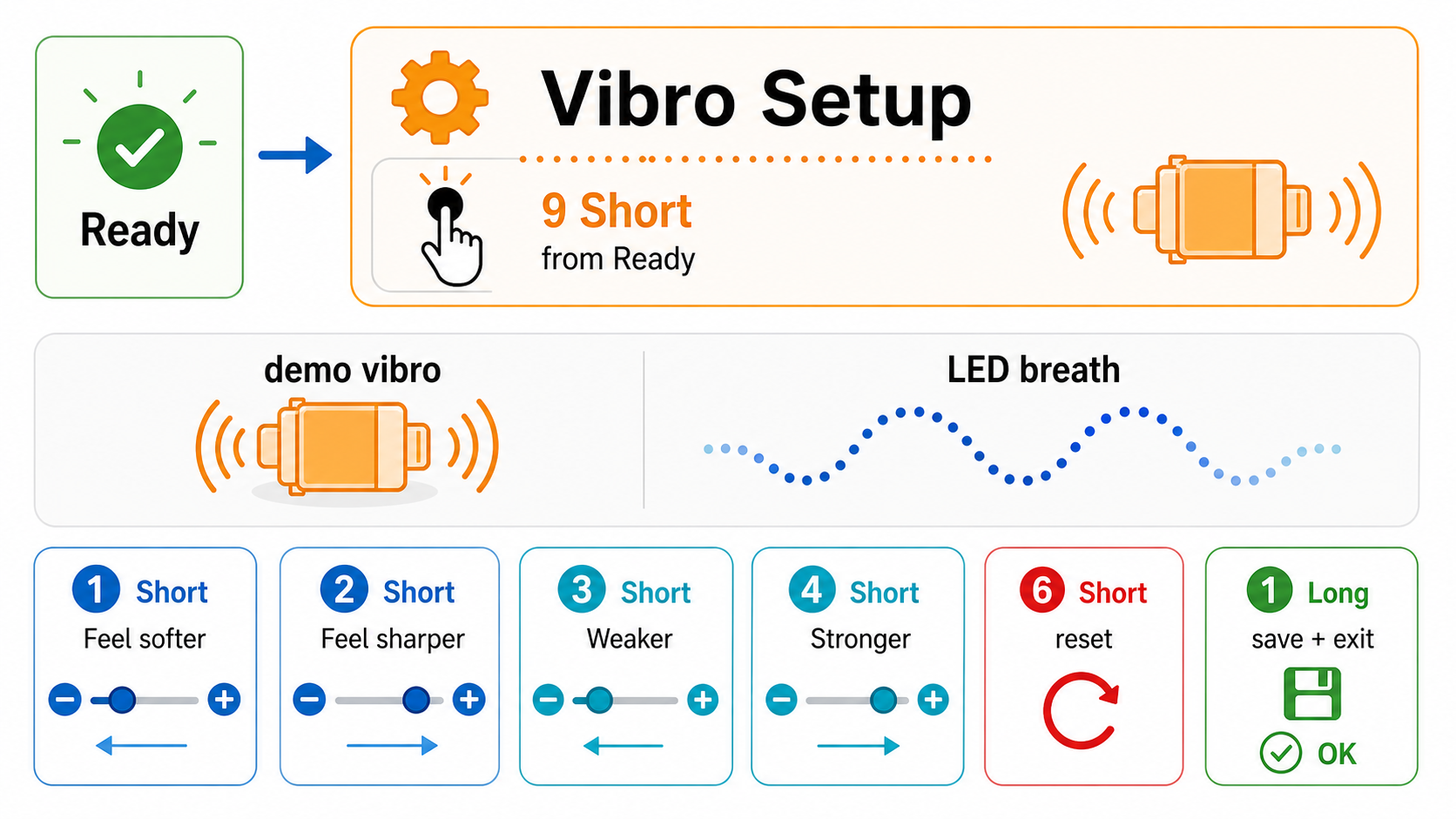
Vibro Setup changes how the vibration feels. Open it with 9 short taps from Ready.
| Inside Vibro Setup | Result |
|---|---|
| 1 short tap | Softer |
| 2 short taps | Sharper |
| 3 short taps | Weaker |
| 4 short taps | Stronger |
| 6 short taps | Reset to the basic setting |
| 1 long press | Save and exit |