Chapter 1
Quick Start
The fastest safe path from a charged, locked device to the first operating mode.
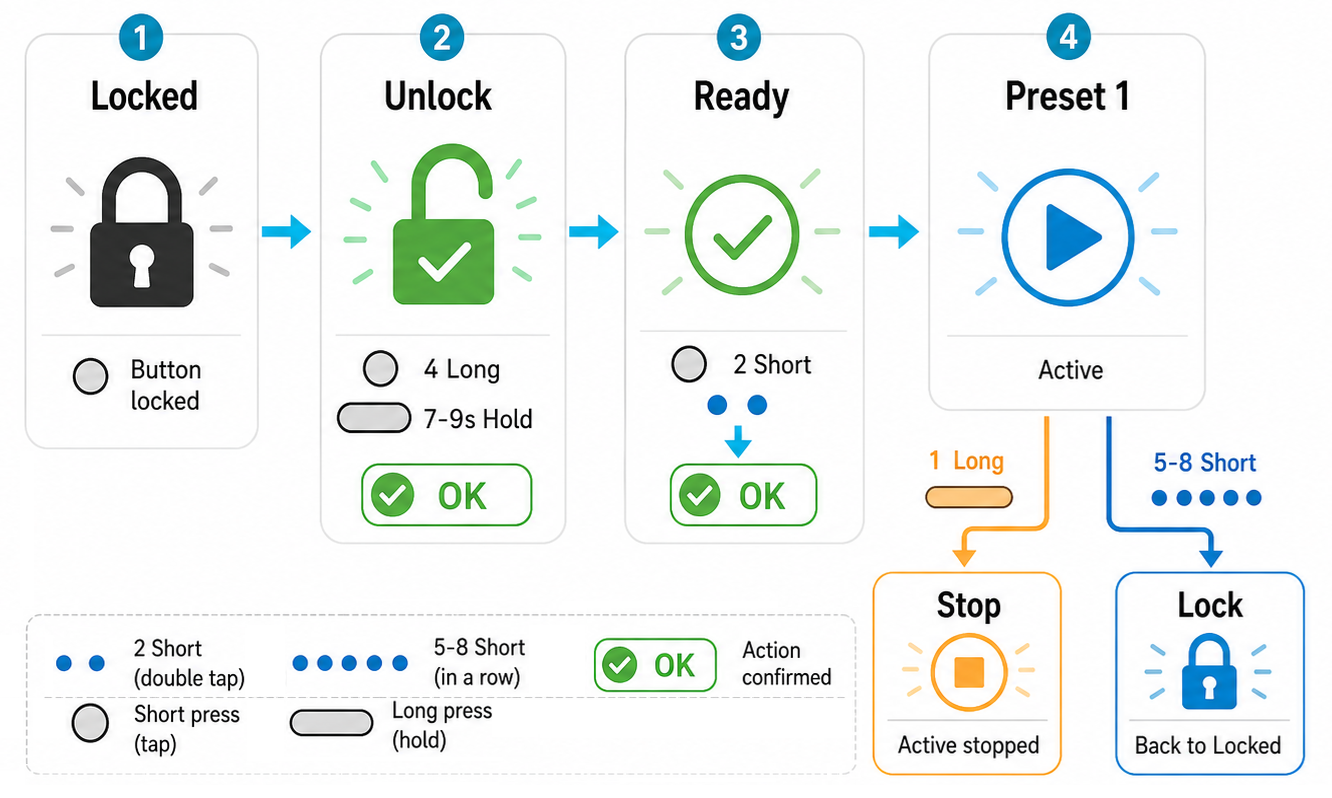
The device is delivered in Locked state. After receiving it, fully charge the powerbank and only then start unlocking. This gives you a predictable first start and prevents accidental activation while the unit is carried or stored.
Fast Path
- Fully charge the device before moving to unlock.
- Unlock with 4 long button presses or one 7-9 second button hold. For the four-press method, hold the button for about 2 seconds each time and keep the pauses as short as your finger can manage. Do not move your finger far away from the button after release; start the next press immediately. This tight rhythm is an intentional safety feature.
- A successful unlock gives one long vibration and one long LED glow, then the device enters Ready. Signal generation does not start automatically.
- From Ready, use 2 short button taps to start the selected operating mode. The device remembers the last selected mode; on a new unit, the default mode starts with one feedback vibration.
- While running, the device repeats vibration and LED indication every few seconds, so you can feel that it is active without checking the light.
- Stop signal generation with 1 long button press of about 2 seconds. The device gives fading vibration and LED feedback, then goes to sleep.
- For normal storage near you, no extra lock step is needed. Lock only in an emergency or when storing the device where someone else could pick it up and accidentally start it.
State Rule
The same physical button does different things depending on state. Locked is safe. Ready accepts commands. Active means a normal mode or special mode is running.
If you are unsure about the current state, make 1 long button press first to guarantee that any active generation is stopped. Then try 2 short button taps. If an operating mode starts, stop it again with 1 long press; now you know the device is responding normally. If nothing happens after the double tap, the device most likely needs to be unlocked. If it still will not unlock, the battery may be deeply discharged, possibly too low to show even low-battery feedback.
When the device is not actively generating and is not inside Vibro Setup, one short button tap can turn on the powerbank LED display. If you can see the charge digits, the installed control electronics are alive and working. Those digits are requested by our installed electronics, not only by a standard powerbank board.
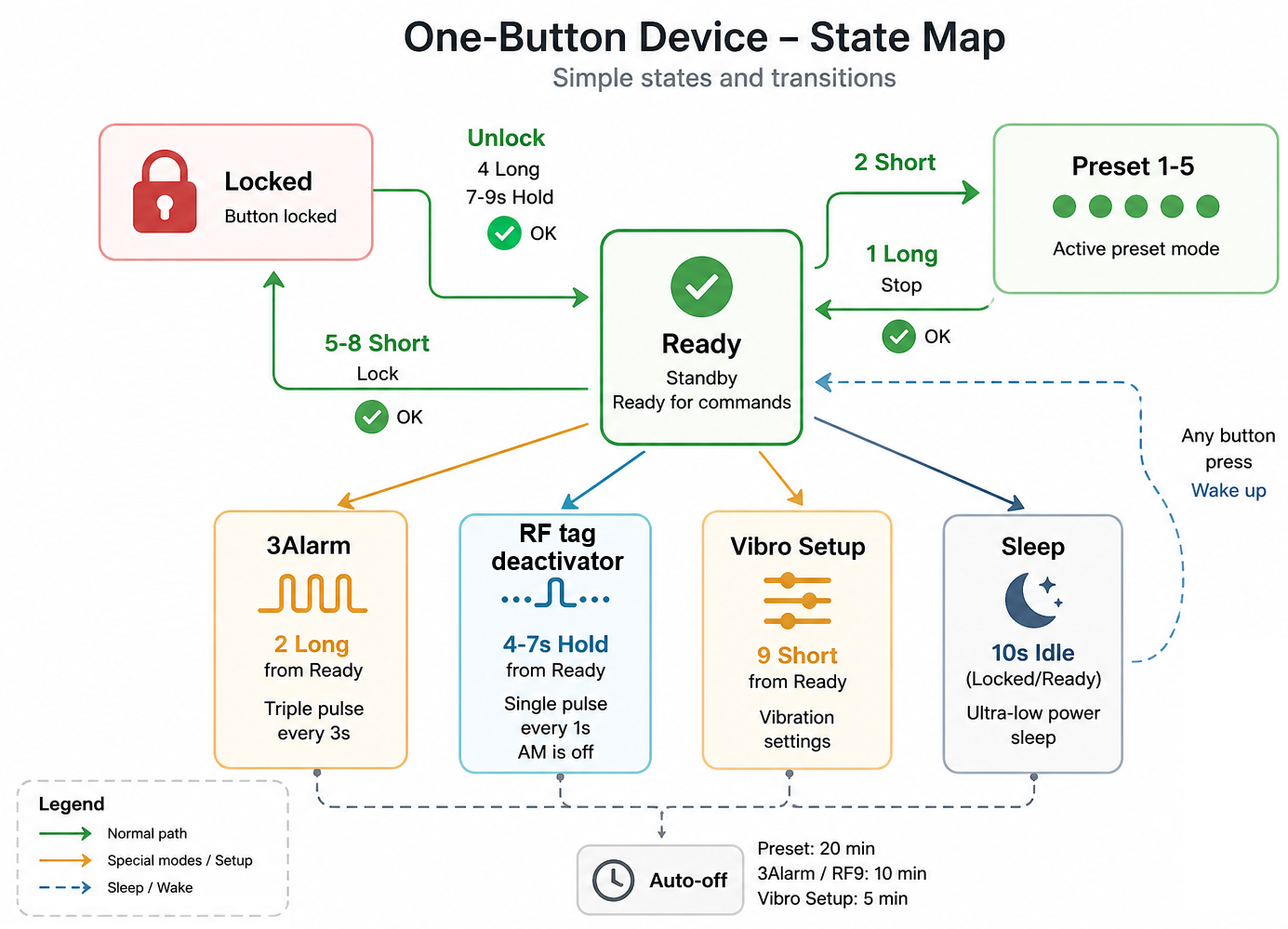
Use the state map as the navigation anchor for the whole control system.